
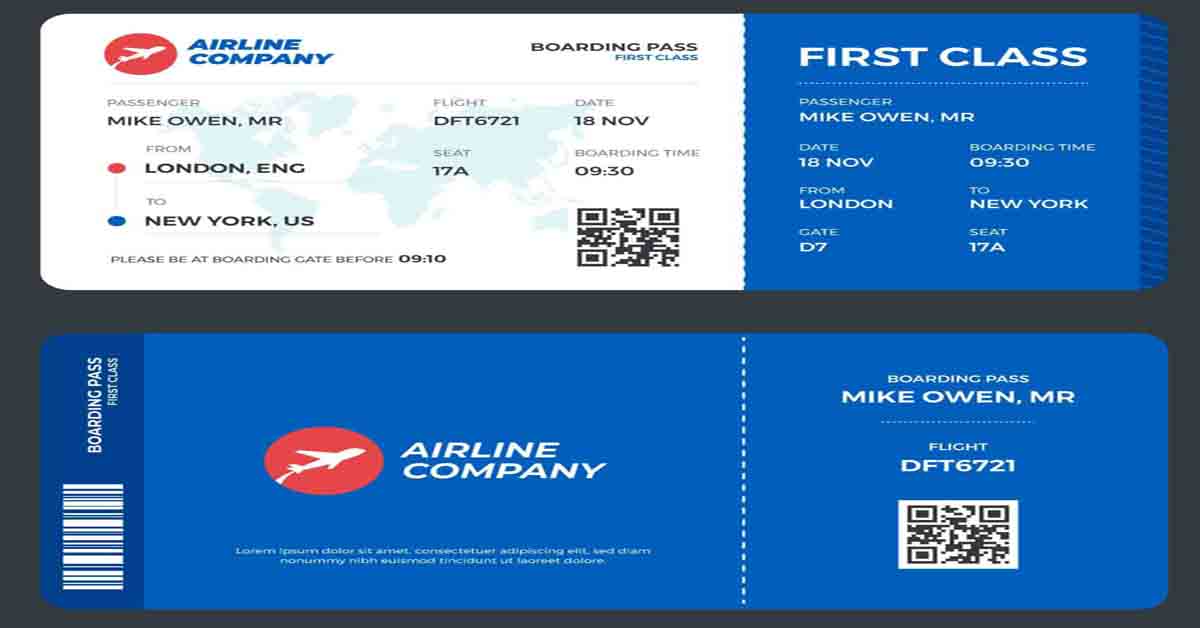
Flight ticket verification is one of the most important steps to complete after booking an airline ticket. Whether you are travelling within your country or planning an international journey, you should always check your reservation before going to the airport. Proper verification helps you confirm your flight details, review your passenger information, and determine whether your electronic ticket has been issued.
Many travelers receive an email, SMS, WhatsApp message, or printed document after purchasing a ticket. However, receiving a booking message does not always mean that the entire ticketing process is complete. Sometimes a reservation has been created, but payment confirmation or electronic ticket issuance is still pending. In other cases, the passenger may receive an incorrect booking reference or an itinerary containing mistakes.
This is why flight ticket verification is necessary. By checking your reservation through the airline’s official website or contacting the airline directly, you can identify potential problems before your travel date.
If you are asking, “Can I check my flight ticket confirmation online?” the answer is yes. Most airlines provide an online booking management service that allows passengers to retrieve their reservations using a flight confirmation number and other required details.
What Is Flight Ticket Verification?
Flight ticket verification is the process of checking your airline reservation and electronic ticket information to determine whether your booking details are correct and your ticket has been issued.
When you book a flight, the airline or booking provider creates a reservation record. This record usually contains your passenger information, travel dates, flight numbers, departure airport, destination, and other journey details.
A reservation is commonly identified by a Passenger Name Record, known as a PNR. Airlines may also call it a booking reference, confirmation code, reservation number, or record locator.
An electronic ticket, commonly called an e-ticket, is the document associated with the issued ticket. It contains ticket information and details about your journey. The ticket number is different from the reservation reference, although both may appear on the same itinerary.
During flight ticket verification, you should check that the reservation exists, the passenger details are correct, and the ticket has been issued. You should also review every flight segment if your journey includes connecting flights or a return trip.
Completing these checks after booking can help you identify errors early and reduce the possibility of unexpected problems at the airport.
Why Is It Important to Confirm My Flight?
When travelers search for “confirm my flight,” they generally want to know whether their reservation is active and whether they can travel according to their planned itinerary.
Confirming your flight is important because booking errors can occur for several reasons. A passenger’s name may be entered incorrectly, the payment may not have completed, or the ticket may not have been issued successfully. An airline may also change a flight schedule after the original booking.
Flight ticket verification helps you check these details before departure. It is particularly useful for international travelers who must coordinate flights with visas, hotel reservations, airport transfers, and connecting journeys.
For example, imagine that you have booked a flight from Dhaka to Kuala Lumpur. You receive a confirmation message from your travel agency, but you have not checked the airline’s reservation system. If the booking contains an incorrect travel date or the ticketing process remains incomplete, discovering the problem at the airport could cause unnecessary stress.
Checking your ticket shortly after purchase gives you more time to contact the airline or travel agent and resolve the issue.
Remember that a confirmed reservation does not guarantee that a flight will operate at its original time. You should also check the airline’s latest flight status before leaving for the airport.
What Is a Flight Confirmation Number?
A flight confirmation number is a reference code used to identify your airline reservation. It may contain letters and numbers, depending on the airline and booking system.
For example, ABC123 is a fictional example of a six-character booking reference. It is not an actual reservation number.
You can usually find your flight confirmation number in the booking confirmation email, electronic ticket receipt, travel itinerary, or documents supplied by your travel agent. Look for labels such as “Booking Reference,” “PNR,” “Confirmation Number,” or “Record Locator.”
Some airlines use six-character alphanumeric booking references, while other booking systems may provide references in different formats. Therefore, you should follow the instructions given by the airline that holds your reservation.
Do not confuse your flight confirmation number with your electronic ticket number. Qatar Airways, for example, describes its booking reference as a six-character alphanumeric code and its e-ticket number as a 13-digit number.
These numbers have different purposes. A booking reference helps you retrieve the reservation, while the e-ticket number identifies the issued electronic ticket.
If you purchased a ticket through an agency, you may receive an agency booking number and a separate airline booking reference. If the agency’s number does not work on the airline’s website, ask for the airline-specific reference.
How to Check My Flight Ticket Online Step by Step

Here we write step by step guide and you should carefully read it:
01: Find Your Flight Booking Confirmation
- The first step is to locate the documents you received after booking your flight.
- Check your email inbox, spam folder, SMS messages, travel agency messages, or online booking account. Your booking confirmation may be available as a PDF attachment or a downloadable itinerary.
- Look for the passenger’s name, airline name, booking reference, travel date, flight number, departure airport, destination, and e-ticket number if it has been issued.
- If you cannot find the confirmation email, contact the booking provider. Explain when you purchased the ticket and ask for a copy of the itinerary and the airline’s booking reference.
- Having the correct information ready will make the verification process easier.
02: Open the Official Airline Website
- After finding your booking information, visit the official website of the airline operating your flight.
- Look for a section called “Manage Booking,” “Manage My Booking,” “My Trips,” or “Retrieve Booking.” The exact wording depends on the airline.
- For example, Qatar Airways provides a booking retrieval page that accepts a booking reference or e-ticket number together with the passenger’s last name.
- If you booked through a mobile application, you may also be able to retrieve your reservation through the airline’s official app.
- Avoid entering your booking reference, passport details, or other personal information into unknown websites. Using the airline’s official service is the safest starting point for checking your reservation.
03: Enter Your Flight Confirmation Number
- Open the booking management page and enter the requested information.
- In most cases, you will need your flight confirmation number or PNR and the passenger’s surname. Some airlines may accept an e-ticket number instead, while others may request additional information.
- Enter the details carefully. Your surname should match the name recorded in the reservation. If the booking contains a compound surname or a particular name format, follow the airline’s instructions.
- After entering the information, select the search, retrieve, or continue option to open your booking.
- If the system cannot locate your reservation, check for typing mistakes and confirm that you are using the correct airline booking reference.
04: Review Your Flight Details
- Once the reservation appears, compare the information with your original itinerary.
- Check the passenger’s name, flight number, departure date, departure airport, arrival airport, and scheduled times. If your journey includes a connection, review each flight segment separately.
- For a return journey, verify both the outbound and return flights. Do not assume that checking one segment automatically confirms every part of the itinerary.
- You should also review any information about
- booking status, cancellations, or schedule changes.
- If you notice an incorrect name, date, or destination, contact the airline or travel agent as soon as possible. The options available for correcting a mistake depend on the airline’s rules and the type of ticket purchased.
5: Confirm That Your Electronic Ticket Has Been Issued
- The next step is to establish whether your ticket has been issued.
- A reservation may exist before the electronic ticket is issued. Therefore, seeing your booking on a website is not always enough to confirm that the ticketing process is complete.
- Check your electronic ticket receipt for the ticket number and review any ticketing information available in the airline’s booking system.
- If the reservation appears but the ticket number is missing, or the status is unclear, contact the airline or the authorised booking provider. Ask whether the ticket has been issued and whether any further action is required.
- Once you have confirmed the reservation and ticket issuance, save a copy of the itinerary and ticket receipt on your phone or computer.
Flight Confirmation Number Lookup: How Does It Work?
A flight confirmation number lookup allows you to retrieve a reservation using the reference associated with your booking.
The simplest method is to visit the official website of the airline that holds your reservation. Open its booking management section, enter your confirmation number and surname, and follow the instructions.
If the booking is available, the system may display your itinerary, passenger details, flight numbers, dates, and other booking information. The exact details depend on the airline.
If the booking does not appear, do not immediately conclude that the ticket is fake. You may be using an agency reference instead of the airline’s reference, checking the wrong airline, or entering a surname that does not match the reservation.
A recently created booking may also take some time to become available through an online retrieval service.
If repeated attempts fail, contact the airline or booking provider. Ask them to confirm the reservation directly and explain why it cannot be retrieved online.
How Can I Check If My Flight Ticket Is Confirmed?
If you want to know how to check if your flight ticket is confirmed, begin by retrieving your reservation through the airline’s official website.
Review the booking status and check that the correct flights appear in the itinerary. If the system identifies your reservation as confirmed, it generally means the booking has a confirmed status in the reservation system.
However, you should also establish whether the electronic ticket has been issued. A reservation and an issued ticket are related but separate things.
If you booked through a travel agency, request the airline’s booking reference and electronic ticket receipt. If you cannot determine the ticketing status from the website, ask the airline or agent for clarification.
For a journey involving multiple airlines, verify all flight segments. A connecting flight may be operated by a different carrier, so you should confirm that the entire itinerary is correctly recorded.
If your departure is approaching and your ticket status remains unclear, contact the airline or booking provider immediately.
How Can I Check My Air Ticket Online Without a PNR?
- Traveler’s sometimes receive a ticket document but cannot find the booking reference. In this situation, you may still be able to retrieve your reservation.
- First, check the original booking email and any attached PDF files. The reference may be labelled as a confirmation code, reservation number, or record locator rather than PNR.
- If you have an electronic ticket number, visit the airline’s official booking page to see whether it accepts that number. Some airlines offer this option, but others require a booking reference and surname.
- If you purchased your ticket through a travel agency, contact the agent and request the airline’s PNR. Provide your booking date and relevant passenger details through a secure channel.
- If you booked directly with the airline, its customer service team may be able to locate your reservation after checking the information you provide.
- There is no single universal method that guarantees you can retrieve every airline ticket without a booking reference. The process depends on the airline’s available services and the information you have.
How to Confirm a Flight Ticket Purchased Through a Travel Agency
Travel agencies help passengers compare flight options, purchase tickets, and organize travel arrangements. However, travelers should still perform flight ticket verification after booking through an agency.
- Start by requesting a copy of your itinerary, airline booking reference, and electronic ticket receipt. Make sure the documents identify the correct passenger and flights.
- Next, visit the airline’s official website and attempt to retrieve the booking. Review the passenger details and itinerary, then check whether the electronic ticket has been issued.
- If the booking is available but the ticketing status is unclear, ask the agency to confirm the status with its ticketing system or the airline.
- If the reservation cannot be found, contact the agency using its established contact information. Explain the problem and request a clear response.
- A payment receipt is useful evidence that you paid the seller, but it does not independently prove that an airline ticket has been issued. Likewise, a screenshot or a booking message should not replace direct verification when the ticketing status is uncertain.
- If you suspect fraudulent activity, keep your payment receipts, emails, messages, and other relevant records. Contact the appropriate payment provider if necessary, and avoid making additional payments until the situation has been clarified.
How to Recognize a Potentially Fake Flight Ticket
A flight itinerary can look genuine without proving that a valid ticket exists in the airline’s system. That is why online verification is important.
One warning sign is a seller who refuses to provide an airline booking reference or electronic ticket receipt after accepting payment. Another is a reservation that cannot be retrieved and remains unexplained after the airline or seller has had an opportunity to investigate.
You should also be cautious if the passenger’s name, travel dates, flight numbers, or destinations differ between the documents you received and the information displayed by the airline.
However, a failed lookup alone does not establish that a ticket is fake. A reference may be incorrect, the booking may not yet be accessible online, or the reservation may be held under another airline’s system.
Contact the airline or authorised booking provider to investigate any discrepancy before reaching a conclusion.
Keep your booking reference and personal information private. Someone who has access to your reservation details may be able to view sensitive information or attempt changes, depending on the airline’s security procedures.
Common Mistakes to Avoid During Flight Ticket Verification
- One common mistake is confusing the PNR with the electronic ticket number. Always check which number the airline requires.
- Another mistake is verifying only the departure flight while ignoring a return journey or connecting flight. Review the entire itinerary to ensure that every segment is recorded correctly.
- Some passengers also assume that a booking confirmation email guarantees successful ticket issuance. It is better to check the reservation and ticketing status separately.
- Waiting until the day of departure to verify your ticket is another avoidable problem. Checking soon after purchase gives you more time to resolve errors or incomplete bookings.
- Finally, avoid relying on unofficial verification websites or social media messages. Use the airline’s official booking service or contact the airline directly when you need authoritative confirmation.
When Should You Verify Your Flight Ticket?
The best time to perform flight ticket verification is immediately after purchasing your ticket. This gives you an opportunity to identify incorrect details or incomplete ticketing before your travel date approaches.
Check your booking again several days before departure, especially if you purchased the ticket through a travel agency or your itinerary includes connections.
If the airline changes your flight, your travel agent reissues your ticket, or you modify your travel dates, review the updated itinerary and ticket information.
Before leaving for the airport, check the latest flight status to see whether your flight has been delayed, cancelled, or rescheduled.
Remember that ticket verification and live flight-status checking are different processes. Ticket verification concerns your reservation and ticketing, while flight-status checking concerns the current operating status of the flight.
For international travel, also confirm your passport validity, visa requirements, transit conditions, and destination entry rules. A valid flight ticket does not automatically guarantee permission to board or enter another country.
Conclusion
Flight ticket verification is an essential part of preparing for a safe and organised journey. It allows you to check whether your reservation exists, confirm your flight details, and determine whether your electronic ticket has been issued.
The process is straightforward: locate your flight confirmation number, visit the airline’s official website, open the booking management section, enter the required details, and review your itinerary. If the booking cannot be found or the ticketing status is unclear, contact the airline or your travel agent for assistance.
Whether you are flying from Dhaka to another city or travelling internationally, do not rely only on a payment receipt or a booking message. Verify your ticket after purchase and check it again before departure.
By following these steps, you can reduce avoidable booking problems and begin your journey with greater confidence. For more travel guidance, visa information, and flight-related advice, visit TravellerIdea.com.
Frequently Asked Questions About Flight Ticket Verification
1. Can I check my flight ticket confirmation online?
Yes. Most airlines provide an online booking management service. Enter your booking reference and the passenger details requested by the airline to retrieve your reservation.
2. How can I check my flight ticket online?
Visit the airline’s official website, open the “Manage Booking” or “My Trips” section, and enter your booking reference and surname. Review the itinerary and ticketing information displayed.
3. What is a flight confirmation number?
A flight confirmation number is a reference used to identify your reservation. It may also be called a PNR, booking reference, reservation code, or record locator.
4. How do I confirm my flight ticket after booking?
Retrieve your booking through the airline’s official website. Check that the itinerary is correct and confirm that the electronic ticket has been issued. Contact the airline or booking agent if the status is unclear.
5. What should I do if my flight confirmation number does not work?
Check that you entered the correct reference and surname. If you booked through an agency, ask for the airline-specific booking reference. Contact the airline or agent if the problem continues.
6. Is a PNR the same as an e-ticket number?
No. A PNR identifies a reservation, while an e-ticket number identifies an issued electronic ticket. Both may appear on your booking documents.
7. Can I verify a flight ticket without a booking reference?
Sometimes. The airline or travel agent may be able to locate your booking using other information, such as an e-ticket number or booking details. The options vary by airline.
8. Does a confirmed flight reservation mean my ticket is issued?
Not necessarily. A confirmed reservation does not always mean that electronic ticket issuance is complete. Check your ticket receipt or ask the airline to confirm the ticketing status.
9. Is flight ticket verification free?
Checking a booking through an airline’s official website or app is generally free. Be cautious of unfamiliar websites that demand payment simply to retrieve a booking reference.
10. How can I check whether my flight ticket is genuine?
Use the airline’s official booking management service or contact the airline directly. Compare the passenger details and itinerary, and confirm ticket issuance. If something does not match, ask the airline or seller to investigate.
11. Can I check my flight ticket using my passport number?
Some airlines or booking providers may offer alternative ways to locate a reservation, but a passport number alone is not universally accepted. Check the airline’s official instructions or contact its customer service team.
12. Should I verify my ticket again before travelling?
Yes. Recheck your itinerary and the latest flight status before departure. This helps you identify schedule changes and confirm that your travel arrangements remain correct.
Recent Post You May Like:
- Malaysia Visa Agency : Why Choose Valencia Air Travels & Tours Ltd?

- Flight Ticket Verification: How to Check and Confirm Flight Ticket Online
- Best Duffel Bag for International Travel: Guide to Choosing, Packing, and Checking Your Bag

- How to Check ETA Status Online: Sri Lanka ETA Guide

- Top 5 Travel Games for Adults Airplane: Fun Games to Make Journey

- 04 Best Travel Instruments: Portable Musical Instruments for Travelers

- How to Check Flight Ticket with PNR Number: Complete Guide for Travelers

- Is Hard or Soft Luggage Better for Carry-On? The Ultimate Traveler’s Guide

- Largest Suitcase for Checked Luggage: Guide for Smart Travelers
